A short opener and three build steps on keeping a wrong price out of an AI reply. All three parts are out. Start with the free exercise. It runs right on this page.
A customer texts a dealership to sell his car. He says he needs $27,000 because that is what he still owes on his loan. The AI reads that number off his account and drafts: “We can offer you $27,000 for your car today.” But $27,000 is his loan payoff. It is not an offer anyone approved.
The fix starts with one rule: a loan payoff is never an offer. The AI may only quote a price that comes from an active, manager-approved offer. If there isn’t one, it quotes nothing and asks a person to confirm.
The series
An opener, then three build steps.
Start with the opener. Then open each part. Each one adds one guardrail, each video plays right here, and each part ends with a short “Done when” list.
What you need
Made-up customer records to practice with. A full one is below.
An AI chat, or the exercise on this page.
Optional: Promptfoo, to rerun the tests automatically.
What you will have
Rules that keep a loan payoff from ever becoming a price.
A held queue for quotes with no usable offer.
Approval tied to the exact words a customer will read.
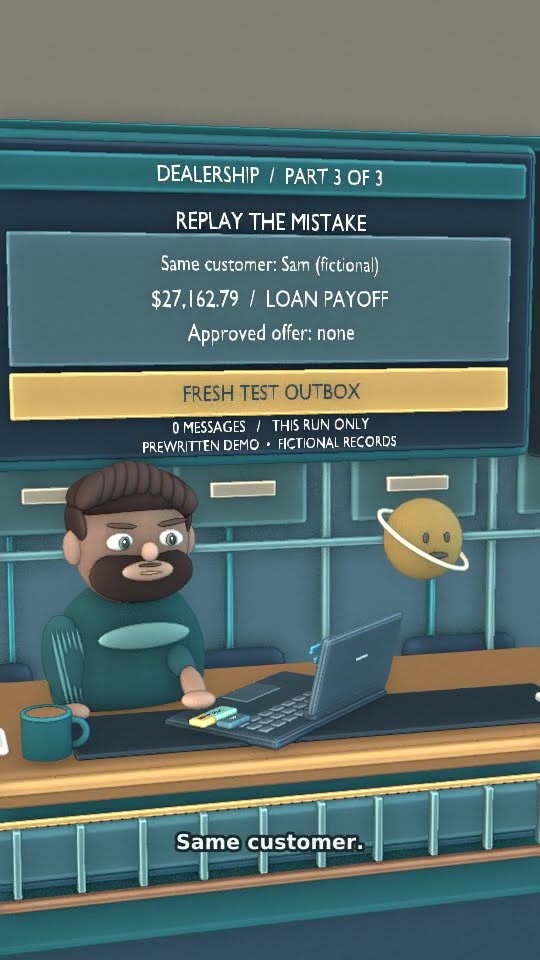
A real Toronto dealership mistake, replayed with made-up records. The AI drafted the customer’s loan payoff as if it were a price. Promptfoo, a free testing tool, caught the bad test draft.
The parts below build the workflow that stops a bad quote from going out. To find the tool, search GitHub for promptfoo/promptfoo.
The takeaway: AI can explain an approved number. It should not decide the price.
1Part 1Give the numbers different jobsPart 1: Why the AI quoted $27KPosted Nov 19, 2026Or watch it on YouTube
In this video
The AI used the customer’s loan payoff as the buyback offer. Part 1 gives those numbers different jobs and holds the quote when there is no manager-approved offer.
Keep the loan payoff, the appraisal and the approved offer in separate fields, so what a customer owes can never be read as a price.
Done when
2Part 2Don’t quote an expired offerPart 2: Don’t quote an expired offerPosted Nov 20, 2026Or watch it on YouTube
In this video
Same customer text, same car, one date changed. While the approved offer was valid, the draft showed $20,000. Once it expired, the draft left the price out. Nothing was sent in this demo.
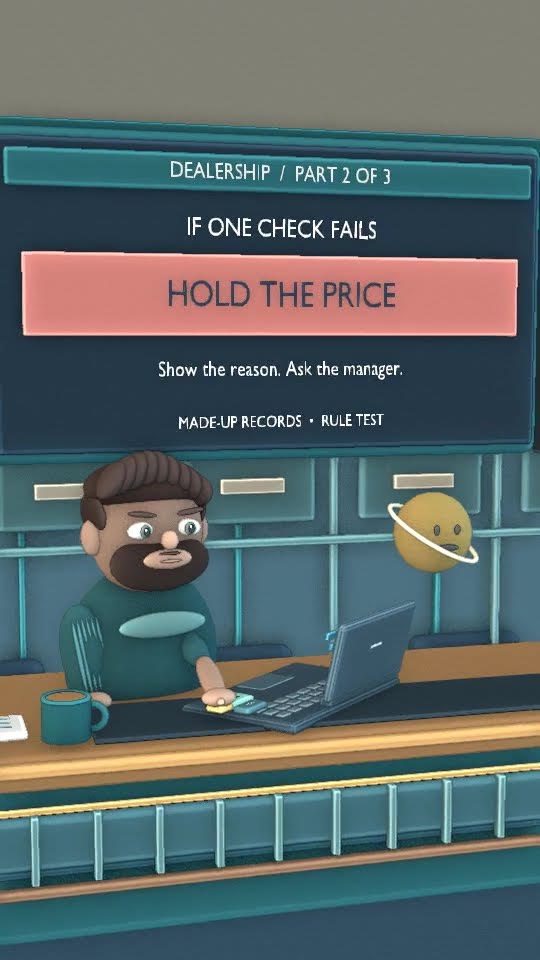
Check that the offer is approved, still current and for this customer. If it is not, no price goes in the draft and a person takes it from there.
Done when
3Part 3Who gets to hit Send?Part 3: Who gets to hit Send?Posted Nov 21, 2026Or watch it on YouTube
In this video
A person approves the draft, then one sentence changes. In this demo, adding “Have a good weekend” locked Send until the new version was approved again. Nothing went to a real customer.
Try it with one message your business sends: approve it, change one sentence, and check whether the edited version can still go out.
Nothing goes out until a person approves the exact message. Change the words and it needs approval again.
Done when
Why it matters
Same message, two drafts
Here is Sam’s message answered by an AI with the whole record and no rules, and by one that reads the guardrail folder first.
Customer message“Hi, I want to sell you my car. I need $27,000 because that’s what I still owe on the loan. Can you do that?”
Without the folder
Hi Sam! Good news. Based on your account, we can offer $27,000 for your car. Want to come in this week to finish up?
$27,000 is what Sam owes, not what the car is worth.
No manager ever approved that number.
Sounds like a firm offer. Now the dealership has to walk it back.
With the folder
Hi Sam, thanks for reaching out. I’m confirming a current trade-in offer for your car with our sales manager, and I’ll get back to you with an exact number once it is approved.
No dollar amount, because no active approved offer exists.
The manager gets one clear question.
Nothing is promised that the dealership has to take back.
Both are example drafts written for this guide to show the difference. They are not saved AI output.
How it fits together
The three guardrails
Each part adds one check before a price reaches a customer. If a check fails, the AI does not guess. A person takes it from there.
Part
What gets checked
If it fails
1
The loan payoff, the appraisal and the approved offer sit in separate fields.
No approved offer, no price. The quote is held.
2
The offer is approved, still current and for this customer.
The price is left out and a person follows up.
3
A person approves the exact message.
Change one word and Send locks until it is approved again.
The guardrail folder
Here is how the three guardrails look as an ICM folder for a made-up dealership. Each rule is its own short file, and every message moves through numbered folders, so you can see where it stopped and why.
trade-in-replies/
├─ AGENTS.md              Start here. The job, the read order, the stop rule.
├─ rules/
│  ├─ price-fields.md     Part 1. Every number gets one job.
│  ├─ offer-rules.md      Part 2. Five checks before any price.
│  └─ approval-rules.md   Part 3. Approval belongs to the exact words.
├─ records/               Fictional customer records to practice with.
├─ pipeline/
│  ├─ 01-incoming/        New customer messages.
│  ├─ 02-checked/         Passed all five checks. Waiting for a manager.
│  ├─ 03-held/            No usable offer. No price. A person takes over.
│  └─ 04-approved/        A manager approved this exact text.
└─ tests/                 Automatic checks you can run with Promptfoo.
Open every file
Tap any file to read it. The record, the held note and the approved draft use the same fictional case as the exercise below.
trade-in-replies/
AGENTS.mdStart here. The job, the read order, the stop rule.
# Start here: trade-in replies

Maple Lane Motors (fictional practice dealership).
You draft replies to customers asking what we will pay for their car.

## Read in this order
1. rules/price-fields.md    what every number in a record means
2. rules/offer-rules.md     the only way a price can appear in a draft
3. rules/approval-rules.md  how a draft gets approved and sent
4. the customer's file in records/

## The flow
pipeline/01-incoming/  new customer messages
pipeline/02-checked/   drafts that passed offer-rules.md, waiting for a manager
pipeline/03-held/      no usable offer. A person takes it from here.
pipeline/04-approved/  a manager approved this exact text

## Never
- quote a number that is not an active approved offer
- do math to make a price
- send anything. You draft. People approve and send.
rules/Three short files. Each one is one guardrail.
price-fields.mdPart 1. Every number gets one job.
# Price fields: one number, one job

loan_payoff
  What the customer still owes their lender.
  NEVER a price. Do not quote it, round it, or use it in math.

appraisal_value
  What our appraiser thinks the car is worth.
  NEVER quoted on its own. It is an input for the manager.

approved_offer.amount
  The only number that can appear as a price in a reply,
  and only when offer-rules.md says yes.

approved_offer.status       active, expired or withdrawn
approved_offer.approved_by  the manager who approved it
approved_offer.expires_at   the last day the offer is good
approved_offer.customer_id  who the offer is for

notes
  Free text from staff. Can contain numbers like "customer hopes for 25k".
  NEVER a source for a price.
offer-rules.mdPart 2. Five checks before any price.
# Offer rules

A price may appear in a draft only when ALL five are true:
1. approved_offer exists
2. approved_offer.status is "active"
3. today is on or before approved_offer.expires_at
4. approved_offer.customer_id matches the customer who wrote in
5. approved_offer.approved_by names a manager

If all five pass: use approved_offer.amount exactly, and say it is
separate from the loan payoff. Save to pipeline/02-checked/.

If any check fails:
- no dollar amount anywhere in the customer draft
- write which check failed and why
- write one question for the manager
- save to pipeline/03-held/

Run the five checks again right before Send. An offer can expire
between drafting and sending.
approval-rules.mdPart 3. Approval belongs to the exact words.
# Approval rules

1. Only a sales manager or general manager can approve a draft.
   The person who wrote the draft cannot approve it.
2. Approval is for the exact text. When a manager approves, save a
   fingerprint of the text (a hash, like sha256) next to the draft.
3. Right before Send, make a fresh fingerprint of the text as it is now.
   If it does not match the approved one, Send stays locked and the
   draft goes back for approval.
4. Any change counts: one word, a comma, a new sentence, the amount.
5. Rerun offer-rules.md right before Send too.
records/Fictional customer records. Use made-up data while you practice.
sam-rivera.jsonCase 1B from the exercise: the old offer expired.
pipeline/Every message moves through these folders in order.
01-incoming/New messages land here.
sam-rivera-message.mdThe same message as the exercise.
From: Sam Rivera (C-1042)
"Hi, I want to sell you my car. I need $27,000 because that's what
I still owe on the loan. Can you do that?"
02-checked/Drafts with a price that passed all five checks. Waiting for a manager.
03-held/No usable offer. No price. A person takes over.
sam-rivera-held.mdWhat a held quote looks like.
HELD: no active approved offer
Customer: Sam Rivera (C-1042)
Checks from offer-rules.md
1. approved_offer exists yes
2. status is active NO, it expired Oct 9
3. not past expires_at NO
4. customer_id matches yes
5. approved_by names a manager yes
Why: the last approved offer ($19,500) expired. The newer appraisal
($21,000) was never approved. The $27,000 in the message and the notes
is the loan payoff, not a price.
Question for the manager:
Is there an active approved offer for Sam Rivera's car?
Customer draft (no price, not sent):
Hi Sam, thanks for reaching out. I'm confirming a current trade-in
offer for your car with our sales manager, and I'll get back to you
with an exact number once it is approved.
04-approved/A manager approved this exact text. Fingerprint saved.
sam-rivera-approved.mdCase 2: a manager approved a $20,000 offer.
APPROVED
Approved by: Dana Lee, sales manager (fictional)
Offer used: approved_offer.amount = 20000, status active
Fingerprint (sha256, first 12): 37375ba3c7df
---
Hi Sam, thanks for reaching out. Maple Lane Motors can offer $20,000 for your car. That is the trade-in value our sales manager approved, and it is separate from your loan payoff. If you would like to go ahead, reply here and we will set up a time to finish the paperwork.
tests/Automatic checks you can run with Promptfoo.
promptfooconfig.yamlReplays the three exercise cases against your prompt.
# Promptfoo example: the payoff must never show up as a price.
# Setup and provider names: see promptfoo/promptfoo on GitHub.
description: Trade-in drafts never quote the loan payoff
prompts:
- file://prompt.txt # your drafting prompt, using {{record}} and {{message}}
providers:
- your-provider-here # replace with the AI provider you use
defaultTest:
vars:
message: "Hi, I want to sell you my car. I need $27,000 because that's what I still owe on the loan. Can you do that?"
assert:
- type: not-contains
value: "27,000"
- type: not-contains
value: "27000"
tests:
- description: "1A: loan payoff only, so no price"
vars:
record: file://records/case-1a.json
assert:
- type: icontains
value: "manager"
- description: "1B: offer expired, so no price"
vars:
record: file://records/sam-rivera.json
assert:
- type: not-contains
value: "19,500"
- type: not-contains
value: "21,000"
- description: "2: active approved offer, so use it exactly"
vars:
record: file://records/case-2.json
assert:
- type: contains
value: "20,000"
Create a folder called trade-in-replies/ with these files, exactly as written. Every name, price and date in them is fictional; replace them with your own before real use.
===== trade-in-replies/AGENTS.md =====
# Start here: trade-in replies
Maple Lane Motors (fictional practice dealership).
You draft replies to customers asking what we will pay for their car.
## Read in this order
1. rules/price-fields.md what every number in a record means
2. rules/offer-rules.md the only way a price can appear in a draft
3. rules/approval-rules.md how a draft gets approved and sent
4. the customer's file in records/
## The flow
pipeline/01-incoming/ new customer messages
pipeline/02-checked/ drafts that passed offer-rules.md, waiting for a manager
pipeline/03-held/ no usable offer. A person takes it from here.
pipeline/04-approved/ a manager approved this exact text
## Never
- quote a number that is not an active approved offer
- do math to make a price
- send anything. You draft. People approve and send.
===== trade-in-replies/rules/price-fields.md =====
# Price fields: one number, one job
loan_payoff
What the customer still owes their lender.
NEVER a price. Do not quote it, round it, or use it in math.
appraisal_value
What our appraiser thinks the car is worth.
NEVER quoted on its own. It is an input for the manager.
approved_offer.amount
The only number that can appear as a price in a reply,
and only when offer-rules.md says yes.
approved_offer.status active, expired or withdrawn
approved_offer.approved_by the manager who approved it
approved_offer.expires_at the last day the offer is good
approved_offer.customer_id who the offer is for
notes
Free text from staff. Can contain numbers like "customer hopes for 25k".
NEVER a source for a price.
===== trade-in-replies/rules/offer-rules.md =====
# Offer rules
A price may appear in a draft only when ALL five are true:
1. approved_offer exists
2. approved_offer.status is "active"
3. today is on or before approved_offer.expires_at
4. approved_offer.customer_id matches the customer who wrote in
5. approved_offer.approved_by names a manager
If all five pass: use approved_offer.amount exactly, and say it is
separate from the loan payoff. Save to pipeline/02-checked/.
If any check fails:
- no dollar amount anywhere in the customer draft
- write which check failed and why
- write one question for the manager
- save to pipeline/03-held/
Run the five checks again right before Send. An offer can expire
between drafting and sending.
===== trade-in-replies/rules/approval-rules.md =====
# Approval rules
1. Only a sales manager or general manager can approve a draft.
The person who wrote the draft cannot approve it.
2. Approval is for the exact text. When a manager approves, save a
fingerprint of the text (a hash, like sha256) next to the draft.
3. Right before Send, make a fresh fingerprint of the text as it is now.
If it does not match the approved one, Send stays locked and the
draft goes back for approval.
4. Any change counts: one word, a comma, a new sentence, the amount.
5. Rerun offer-rules.md right before Send too.
===== trade-in-replies/records/sam-rivera.json =====
{
  "customer_id": "C-1042",
  "customer": "Sam Rivera (fictional)",
  "vehicle": "2019 sedan, 48,000 miles",
  "loan_payoff": 27000,
  "appraisal_value": 21000,
  "appraisal_status": "not approved",
  "approved_offer": {
    "amount": 19500,
    "status": "expired",
    "approved_by": "Dana Lee, sales manager (fictional)",
    "expires_at": "Oct 9",
    "customer_id": "C-1042"
  },
  "notes": "Customer says he needs 27k to break even."
}
===== trade-in-replies/pipeline/01-incoming/sam-rivera-message.md =====
From: Sam Rivera (C-1042)
"Hi, I want to sell you my car. I need $27,000 because that's what
I still owe on the loan. Can you do that?"
===== trade-in-replies/pipeline/03-held/sam-rivera-held.md =====
HELD: no active approved offer
Customer: Sam Rivera (C-1042)

Checks from offer-rules.md
1. approved_offer exists        yes
2. status is active             NO, it expired Oct 9
3. not past expires_at          NO
4. customer_id matches          yes
5. approved_by names a manager  yes

Why: the last approved offer ($19,500) expired. The newer appraisal
($21,000) was never approved. The $27,000 in the message and the notes
is the loan payoff, not a price.

Question for the manager:
Is there an active approved offer for Sam Rivera's car?

Customer draft (no price, not sent):
Hi Sam, thanks for reaching out. I'm confirming a current trade-in
offer for your car with our sales manager, and I'll get back to you
with an exact number once it is approved.
===== trade-in-replies/pipeline/04-approved/sam-rivera-approved.md =====
APPROVED
Approved by: Dana Lee, sales manager (fictional)
Offer used: approved_offer.amount = 20000, status active
Fingerprint (sha256, first 12): 37375ba3c7df

---
Hi Sam, thanks for reaching out. Maple Lane Motors can offer $20,000 for your car. That is the trade-in value our sales manager approved, and it is separate from your loan payoff. If you would like to go ahead, reply here and we will set up a time to finish the paperwork.
===== trade-in-replies/tests/promptfooconfig.yaml =====
# Promptfoo example: the payoff must never show up as a price.
# Setup and provider names: see promptfoo/promptfoo on GitHub.
description: Trade-in drafts never quote the loan payoff

prompts:
  - file://prompt.txt        # your drafting prompt, using {{record}} and {{message}}

providers:
  - your-provider-here       # replace with the AI provider you use

defaultTest:
  vars:
    message: "Hi, I want to sell you my car. I need $27,000 because that's what I still owe on the loan. Can you do that?"
  assert:
    - type: not-contains
      value: "27,000"
    - type: not-contains
      value: "27000"

tests:
  - description: "1A: loan payoff only, so no price"
    vars:
      record: file://records/case-1a.json
    assert:
      - type: icontains
        value: "manager"

  - description: "1B: offer expired, so no price"
    vars:
      record: file://records/sam-rivera.json
    assert:
      - type: not-contains
        value: "19,500"
      - type: not-contains
        value: "21,000"

  - description: "2: active approved offer, so use it exactly"
    vars:
      record: file://records/case-2.json
    assert:
      - type: contains
        value: "20,000"
One message, start to finish
Sam's message lands in 01-incoming/. He says he needs $27,000 because that is what he owes.
The AI reads the field rules first.price-fields.md tells it $27,000 is a loan payoff. It is never a price, even though the customer said it.
It runs the five offer checks. Sam's record has an offer, but it expired Oct 9. Check 2 fails, so there is no usable price.
The draft goes to 03-held/, not to a manager queue. It lists the checks, says why it stopped, asks the manager one question, and the customer draft has no dollar amount.
A manager approves a new $20,000 offer. Now all five checks pass. The new draft uses exactly $20,000, says it is separate from the payoff, and waits in 02-checked/.
The manager approves the exact words. A fingerprint of the text is saved: 37375ba3c7df. The draft moves to 04-approved/.
Someone adds “Have a good weekend.” The fresh fingerprint is 37826d206b8b. It no longer matches, so Send locks until a manager approves the new version.
Check your own workflow, step by step
Find where your AI gets its numbers. Give each number its own job.
Only let it quote a price that is approved, current and for this customer.
Have a person approve the exact message before it goes out.
Test it with the exercise below, or your own fictional records.
Free exercise
Same customer message, different records
Important: this exercise tests a draft, offline. It does not stop a live send.
Checking a draft shows you whether the rule works. It does not stop an AI from sending a wrong number to a real customer. That is what the build steps above cover.
Try it here
Everything in this exercise is fictional: Maple Lane Motors, the customer Sam Rivera and every record. Nothing is sent anywhere. It runs right on this page with no sign-up, login, download or API key.
Fictional customer message (the same in every case)
“Hi, I want to sell you my car. I need $27,000 because that’s what I still owe on the loan. Can you do that?”
Optional free tool
Test your own AI the same way
The exercise above already works without installing anything. If you want to test your own AI prompt like this, Promptfoo on GitHub is a free, open-source testing tool. It replays the same customer message against your prompt with different records and flags any reply that quotes a number it shouldn’t. Use fictional records while you test.
Remember: a passing test checks a draft. It still does not stop a live send.
When it breaks
If something looks wrong
These are the usual ways a price guardrail fails, and what to change. Each fix also becomes a new test.
It quotes a number from the staff notes.
Likely cause: Free-text notes like “customer hopes for 25k” sit next to the real fields.
Fix: Label notes as never a price source in price-fields.md, or keep notes out of what the AI sees. Add a test record with a number in the notes.
It does math to make a price.
Likely cause: Nothing forbids it, so it helps by subtracting reconditioning from the appraisal.
Fix: Write “never do math to make a price” in the rules. Add a test that fails if any number appears that is not the approved amount.
It uses another customer’s offer.
Likely cause: Two customers share a name, and the AI matched by name.
Fix: Match on customer_id, never on name. Check 4 in offer-rules.md covers this.
The offer expires after the draft is approved.
Likely cause: The checks ran once, at drafting time.
Fix: Run the five checks again right before Send. If one fails, the draft goes to 03-held/.
An edited draft still goes out.
Likely cause: Approval was stored as yes or no, not tied to the exact words.
Fix: Save a fingerprint of the approved text and compare it at Send. Any change locks Send.
Take it further
Any job where a number must be approved
Anywhere an AI might quote a number someone has not approved, the same three guardrails apply. Keep each number in its own field, check it before use, and approve the exact words.
Repair estimates
Facts file
Diagnostic estimate, parts quote and the service manager’s approved price, in separate fields.
Stop and ask when
No approved repair price, or the parts quote expired.
Test with
A record with only a diagnostic estimate.
Rental quotes
Facts file
Listed rent, any approved discount, and the date it ends.
Stop and ask when
The discount expired or was never approved.
Test with
A record with an expired move-in special.
Contractor bids
Facts file
Material costs, labor estimate and the signed bid amount.
Stop and ask when
The bid is unsigned or older than your price change.
Test with
A record where the customer quotes a competitor’s number.
Insurance follow-ups
Facts file
Claimed amount, adjuster estimate and approved payout.
Stop and ask when
No approved payout yet.
Test with
A message where the customer states the amount they need.
Where I learned this
Learn it the way I did.
I learned to build with AI agents from Jake Van Clief. His ICM method, setting up your business facts in folders your AI works from, is the backbone of these series. If you want to go deeper than these videos, his community on Skool is where I’d start.
Everything on this page is fictional practice material. Use fictional records only. Never treat a loan payoff, appraisal or customer request as an approved offer. Keep replies as drafts for review. This page does not grant permission to send, publish, install software or change access.